


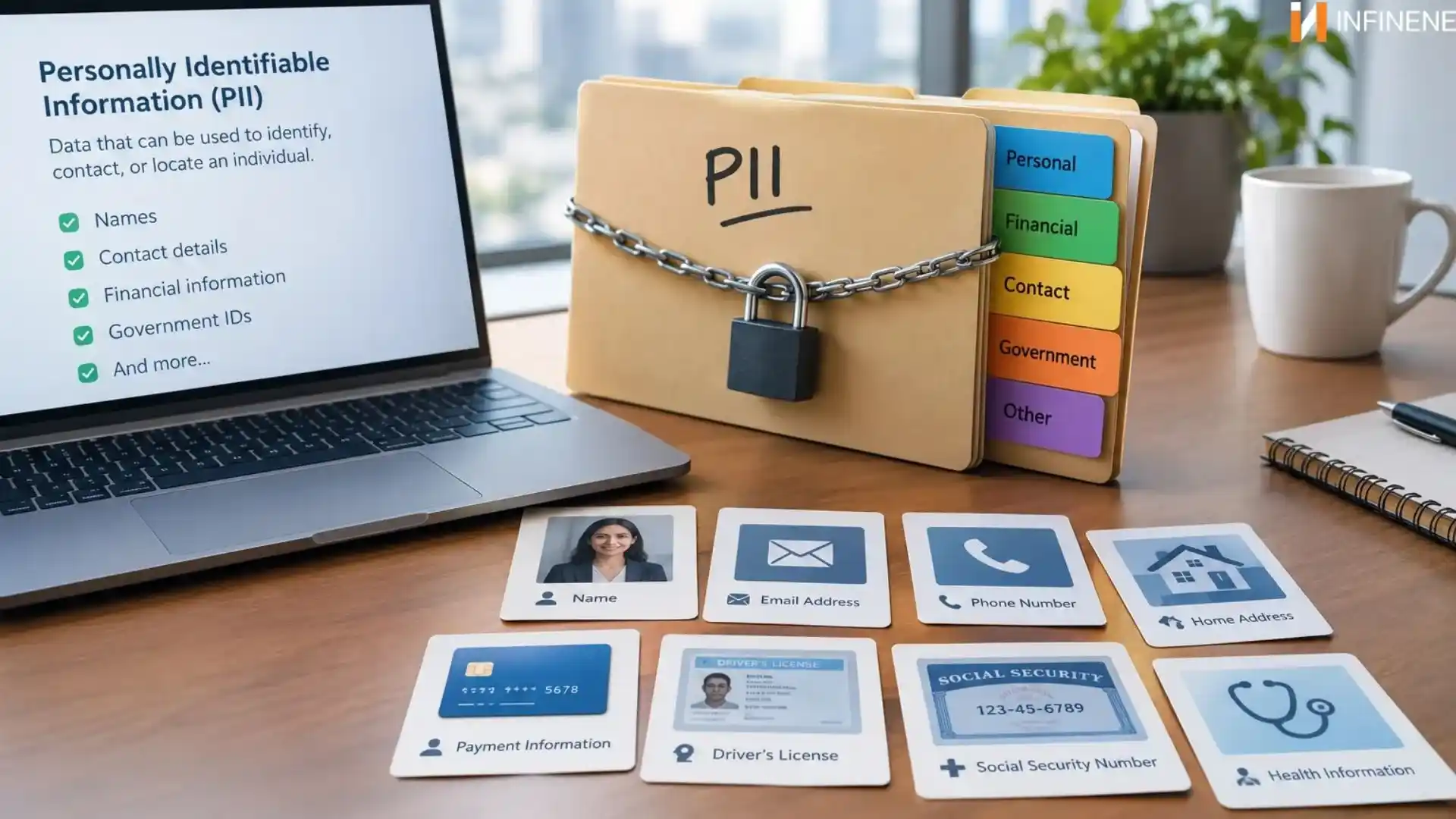
Every time a customer creates an account or calls a contact center to get some information or even completes a purchase, the business collects personally identifiable information. It includes basic information like names and email addresses to personal data like phone numbers and payment details. The customer info flows through websites and then CRMs to support tools. By the end of the week, pieces of customer information sit in four different tools. Nobody did anything wrong. But that person is now exposed in more places than he knows. And the business is responsible for every one of them. This is the everyday reality of personally identifiable information. And that makes it important to understand what is PII. If a business can't tell which data identifies individuals, it can't protect that data properly. Mishandled PII information can lead to data breaches, fraud, and even identity theft which eventually leads to lost customer trust. This guide explains what is personally identifiable information and how organizations can keep it secure.
Personally identifiable information is any detail that can point to a specific person. One detail might do it. Or it might take several working together. So, there are two routes to identifying someone. The first is direct. A full name does it. So does a passport number. An email address that spells out someone's name does it too. No guesswork needed. The second is indirect, and this one trip people up. Take a job title, a zip code, and a birth date. On their own, they tell you little. Put them together and you may have described exactly one person in a small town. Nobody typed a name, yet everyone knows who it is.
That second route is why PII can't be reduced to a neat checklist. A field that looks boring today can become revealing the moment someone links it to something else. Some basic examples:
Full names
Home addresses
Phone numbers
Government issued ID numbers
Customer IDs and account details
If you are not sure about some data, just ask one question. Can someone use this piece of information to find out the real person? If the answer is maybe, handle it carefully.
PII stands for personally identifiable information. The words explain themselves. It's information that can be personally tied back to you. You'll see the term all over cybersecurity and privacy work. Security teams use it because PII is what criminals want most. Regulators use it because PII is what they check first after an incident.
When a security lead says, “We need to protect PII,” it usually means a specific risk. They want to keep the wrong people from viewing it or using it in a way that harms the person named in it. This is about stopping abuse. It's about guarding a lone file. It's to protect a human being who happens to be stored in that file. Memorizing what does pii stand for takes five seconds. Finding where it hides in your own company takes much longer. Most businesses are surprised by the answer.
If PII is the idea, PII data is the actual stuff. It's the rows in a database, the fields in a form, the lines in a call transcript. A customer spreadsheet is PII data. So is a folder of support chats. Businesses collect it in a lot of places. Let's walk through the usual suspects.
Websites. Signup boxes and contact forms along with checkout pages ask for personal details. On the back end, cookies and analytics tools can also collect an IP address or a device ID.
Customer accounts. Usernames, hashed passwords, saved addresses, order history. Put those together and you get a detailed portrait of one person.
Contact centers. Just imagine a regular help call. The rep asks for an account number. They may also ask for a birth date. Sometimes they want the last four digits from a card. After that, the call is saved. The chat is saved too. Then you end up with a record that holds private information.
Ecommerce. When you place an order online, they collect a delivery address and payment details along with the necessary personal information. Multiply that by thousands of orders.
Business systems. CRMs, billing platforms, HR software, and helpdesk tools all keep records on customers and employees alike.
A lot of this seems fair. Businesses still need the information to make the products work, verify who someone is, collect payments, and keep the whole process smoother for customers. The trouble starts with the spread of this information. Data rarely stays where you put it. A customer record begins in the CRM. Then someone exports it to a spreadsheet for a campaign. Then the spreadsheet gets emailed. Then it sits in a downloads folder for a year. Every copy is a new opening for someone to step into. That is usually how personal data gets leaked. It is rarely from fancy break-ins. More often it happens because plain copies were made and no one kept track of them.
It really depends on the situation. Still, you will see the same general patterns come up over and over.
Names. Full names, maiden names, nicknames tied to an individual.
Email addresses. Especially those built from someone's real name. Even a random looking address can usually be traced back to a person.
Phone numbers. Both mobile and landline.
Addresses. Home, work, billing, and shipping all reveal where someone can be found.
Identification numbers. Social Security numbers, passport numbers, driver's license numbers, and national ID numbers. These carry the highest risk when exposed.
Account information. Usernames, customer IDs, and financial account numbers.
Online and device identifiers. IP addresses, device IDs, and cookie identifiers can count, depending on the rules in play. Some laws treat them as PII. Others are less clear.
Combinations of information. Watch this one closely. A postcode and a birth date might look harmless on separate spreadsheets. Link them and you may have a name.
A useful habit is to stop judging data by how personal it feels. Judge it by what it could reveal when it meets other data.
Not all PII information is equal. Some of it is merely private. Some of it can ruin a life. Sorting it into three groups makes priorities clearer.
These name a person with no help from anything else.
Full name
Government issued ID
Email address
Phone number
If one of these leaks, the person is identified instantly. There is nothing to crack here. Because of that, the clear labels are placed near the start of any protection plan.
These don't give a name. But they shrink the crowd quickly.
Date of birth
Location information
Employment information
Device or online identifiers
A birth date by itself is vague. Add a city and an employer, and you've nearly got a name. Attackers know this. They often build a profile one small piece at a time.
This is the category that can do real damage. Many laws and company policies demand extra care here.
Financial information which includes bank account and card numbers.
Authentication credentials, such as passwords and security answers.
Certain health or biometric information.
Other categories that applicable laws or internal policies flag for added protection.
Picture what a thief could do with a working password and a bank account number. The harm is fast and direct. So this data deserves stronger locks than the rest.
Lots of people say these two terms like they mean the same thing. "PII" is the phrase you'll hear most in the United States. It shows up in security programs, privacy guidance, and a range of U.S. laws. “Personal data” is the wording used in rules such as the EU GDPR, and it is not narrow. In many cases it covers online tags too, plus other details that point to a specific person.
Which label fits you? It depends on the country where you run your work and where your clients are based. What one framework treats as personal data may not be treated the same way in another framework. Or both may cover it but describe it differently. Some laws draw the line narrowly. Others cast a much bigger net. So it can be risky to use those two terms as if they mean the same thing in every case. Look at the rules that fit your business and the people you serve. If you are not sure, ask legal counsel. It costs far less than fixing a compliance mistake later.
Keeping personal data safe is not just an IT task. It is important for sales teams, support reps, HR staff, marketing, and managers too. That is why it should get real focus.
Customer privacy. People share their details because they feel safe with you. They assume you will protect their private information and not let it slip. Meeting that expectation is basic good business.
Data security. Personal data is the most valuable information you have. Handle it with care from day one.
Cybersecurity risks. Storing a lot of PII makes you a more attractive target. Criminals follow the value.
Identity theft and fraud. When someone steals your personal details. After that, they can create new accounts, take over accounts you already have, or buy things using your name. Victims may spend months sorting it out.
Data breaches. A breach involving PII gets expensive quickly. Think investigation costs, notification duties, legal bills, and staff pulled away from their real work.
Customer trust. This is the slowest to repair. People remember which companies lost their information. Many simply leave.
Regulatory and compliance considerations. Rules on how you collect and keep PII can differ by industry and by where you do business. If those steps are not followed, you may face penalties.
In short, protecting PII protects your customers and your business in the same move.
There's no single fix. If someone is trying to sell you just one thing, they might be pushing too hard. A better plan is to use layers. That way, if one layer fails, the next one is there to stop the issue.
Data encryption. Encrypt PII while it's stored and while it travels between systems. If someone grabs it, they get unreadable gibberish.
Access controls. Not every employee needs every record. Give people the minimum access their job requires. Then check those permissions often. Staff change roles, and old access tends to hang around long after it should be gone.
Multifactor authentication. Passwords get stolen. Adding a second step, like a code sent to a phone, blocks a huge share of account takeovers.
Data minimization. Collect only what you truly need. Ask yourself whether you really need a customer's birth date to send a newsletter. Data you never gather can never leak.
Secure storage. Keep PII information in protected systems that are configured properly. Avoid parking it in loose spreadsheets, shared drives, and inbox attachments. Scattered data is almost impossible to guard.
Employee security training. Your team is your first line of defense. Show them what phishing looks like. Explain how social engineering works. Teach them how to handle PII during a normal workday. Then repeat the training, because people forget.
Security assessments. Set up checks for your systems. Run security scans and do risk reviews. You are safer if you spot weak areas early. Letting someone else discover them can be worse.
Data loss prevention. DLP software keeps an eye on your network traffic. It looks for sensitive data as it moves out. If something risky shows up, it can raise an alert or block the transfer.
Appropriate retention and deletion practices. Set clear rules for keeping and getting rid of data. Figure out how long you must hold each type. When that period is over, remove it in a secure way. Old records nobody uses are all risk and zero value.
Stop trying to handle it all in one month. Look at the holes that bug you the most. Address those first. Then move on and keep working.
It can help to flip the view. Once you watch the way attackers think, the defenses stop feeling random. They start to line up and actually make sense.
Why attackers target PII. Because it pays. Stolen personal data sells on criminal markets. It also powers fraud and helps criminals plan bigger attacks. To them, your customer database is a shopping list.
How compromised PII can be misused. Once someone has it, they have options. They can commit identity theft. They can take over accounts. They can write phishing emails that mention a real purchase and a real name, which makes the message much more believable. Or they can sell everything to the next buyer.
Stolen or weak credentials
Misconfigured cloud storage
Unpatched software flaws
Malware and ransomware
nsider threats, from carelessness or bad intent
Look closely at that list. Most of it comes down to human slips and skipped basics. That's encouraging, because good habits close a lot of those doors.
Monitoring and security controls. To handle monitoring and security, assume you will miss some attacks. Your job is to catch signs of trouble quickly. Use logs to see what is happening. Turn on checks for unusual activity. Split the network into parts to limit spread. Add protections on each device. Also keep an incident response plan that has been tested. Acting fast helps keep damage small. If you notice issues early, costs tend to drop.
Role of cybersecurity teams and technology. Security teams find where PII lives, weigh the risks, set up controls, and respond when something breaks. Smaller companies often can't staff all of that. Managed security providers can step in and supply skills that would be hard to hire.
Tools change every year. PII information goes wherever your tools go.
1. Cloud computing. Switching to the cloud can help with safety, but you do not get that result by default. Storage has to be configured correctly. You also need to know which security jobs are yours and which belong to the provider.
2. AI systems. This area moves fast. Training materials, user questions, and model replies can include personal data. If you do not set clear rules, someone on your team may drop customer info into an AI app to move faster. Put safeguards in place right away. Decide what data may enter these tools and what may not.
3. SaaS platforms. If you run a software service that handles customer data, your protection scope gets wider. Make a clear list of every app that stores PII. For each app, note what data it keeps and how it protects that data.
4. CRM systems. A CRM puts contact and account data in one handy place. That's great for sales. It's also a tempting prize for attackers. Tight access controls matter here more than almost anywhere.
5. Contact centers. Agents deal with private information while the call is happening. A customer can get restless and wait at the same time. After that, recordings and transcripts still need protection. Verification steps also have to be handled carefully. One sloppy process can expose a lot of people.
6. Online platforms. When people sign up, use tracking, or post content, personal data can end up there. You need a clear plan for each part. Spell out how the data is gathered and how it is used as well as when it gets deleted.
Technology will keep shifting. You need to get the basics right. First, figure out where PII is stored. Next, control who has access to it. Finally, keep it safe wherever it moves.
PII means personally identifiable information. It is any information that points to a particular person. This can be true even if the data is used with other details.
PII stands for Personally Identifiable Information.
PII data is the actual records and fields that contain personal details. Customer profiles, account records, order histories, and call transcripts are all examples.
Common examples include names, email addresses, phone numbers, and physical addresses. You may also see government ID numbers listed. Account details can show up too. Online and device identifiers can count in some situations. Combinations of data that point to one individual can qualify as well.
Yes, often. It is more likely if the address has a real person’s name, or if you can connect it to other details about them. Whether it falls under formal rules for PII depends on what law is in force.
Keeping it safe lowers the chance of data leaks and regulatory issues. It also helps you hold onto the client confidence your business needs.
Use layers instead of one single fix. Encryption helps protect files if someone gets them. Set access controls so only the right people can view what they need. Turn on multifactor authentication for logins. Keep the amount of data as small as you can. Store data in a safe way, with secure storage systems. Train employees so they know how to handle risk day to day. Run security assessments to find weak spots early. Use data loss prevention to reduce leaks. Follow sensible rules for how long you keep data and when you delete it.
So, what is PII? PII means personal data. It is any information that could point to a specific person. In some cases, it does it right away, like a full name or a government ID. In other cases, it works more quietly. A mix of details, such as where someone lives and their birth date, can end up revealing who it is.
Companies deal with this every day. You can find it on company sites. It shows up in CRMs. It appears in call center notes. It also sits in cloud services and other tools. Bad actors know it is useful. So, they keep looking for spots where defenses are thin. What should you do with that? First, figure out where the personal data is stored across your org. Next, gather less of it going forward. Then secure what you keep using multiple layers. Treat the effort like an ongoing routine. When an organization does these steps, it is better able to stop incidents and keep customer confidence.