


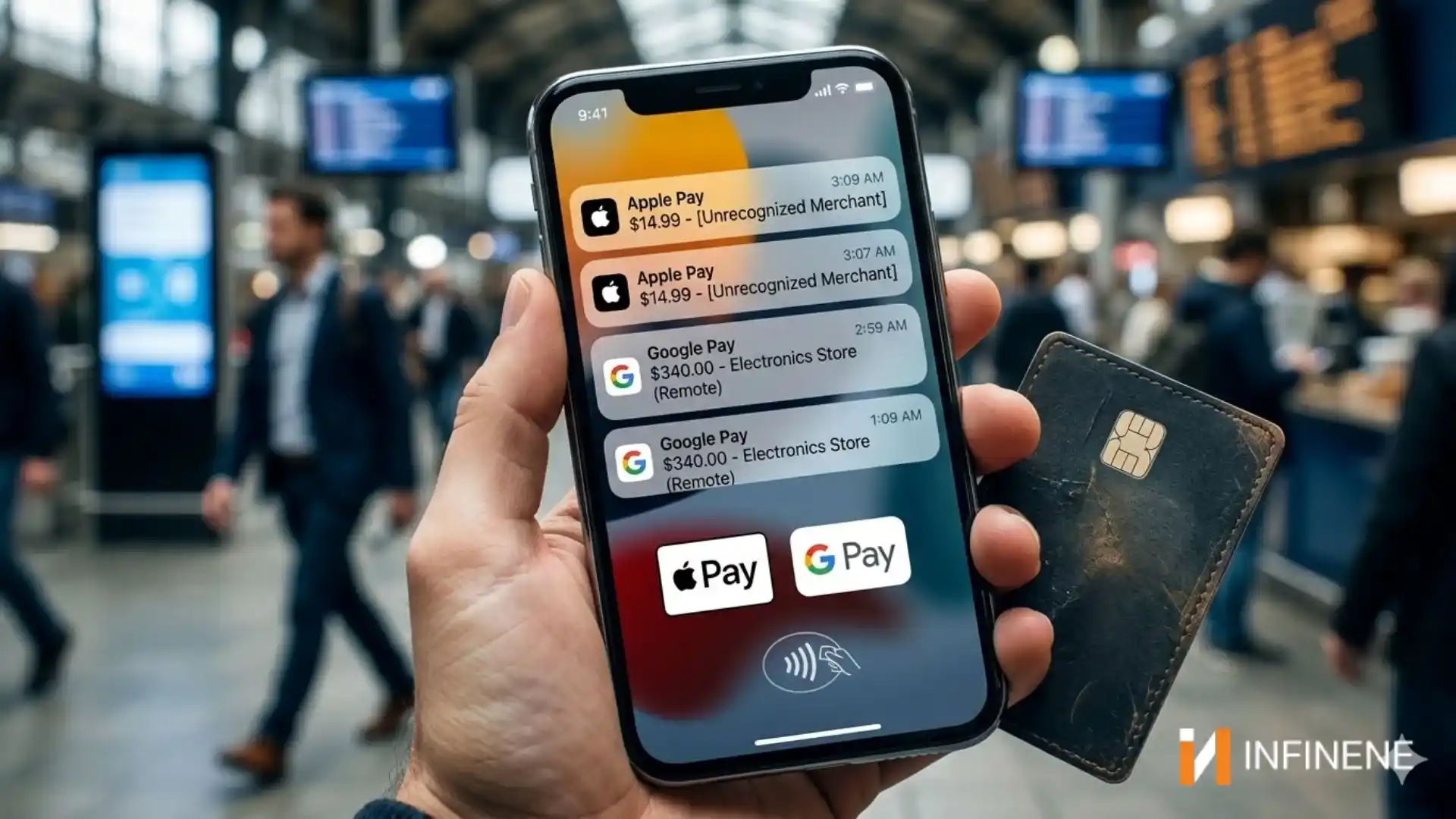
Picture this: you’re doing that thing where you quickly check your bank balance before the weekend, and there it is — a charge from Apple Pay you have zero memory of making. Maybe it’s $14.99. Maybe it’s $340. Either way, your brain does that little skip where you think, did I buy something and forget? Then you look more carefully and realize, no. You didn’t.
I’ve talked to enough people who’ve been through this to tell you: the gut-drop feeling is real, the confusion is real, and unfortunately, the fraud is real too.
Mobile wallet unauthorized charges isn’t some fringe issue that only happens to careless people. They’re happening to everyday Americans — people who consider themselves pretty tech-savvy, people who thought tap-to-pay was safer than swiping a card. And in some ways, it is safer. But “safer” doesn’t mean airtight.
If you’ve been searching wondering why is my Apple Pay being charged for something you didn’t buy, or you’ve spotted Google Wallet unknown charges and can’t figure out where they came from — keep reading. This piece breaks down exactly what’s going on, why it keeps happening, and what you can actually do about it (not the generic advice you’ve already seen a dozen times).
Let me push back on something first.
There’s this comfortable idea floating around that digital wallets are basically fraud-proof. You’ve probably heard the pitch: your card number never gets transmitted, everything is tokenized, biometrics required, end-to-end encrypted — it sounds almost impenetrable when the marketing people describe it.
And look, payment tokenization security is genuinely good. When you tap your phone at a register, the merchant never sees your actual card number. They receive a one-time token. A skimmer at that terminal picks up nothing useful. That’s a real improvement over the magnetic stripe era.
But here’s what people miss — that tokenized payment layer is just one piece of a much bigger system. The weak spots aren’t in the payment protocol itself. They’re everywhere around it. Your email account. Your carrier. That app you authorized to bill through your wallet three years ago and completely forgot about. The login credentials you reuse across eight different sites.
That’s where how mobile wallet fraud happens. Not through some Hollywood-style hack of Apple or Google’s servers. Through the boring, unglamorous stuff. Stolen passwords. A convincing phone call to a carrier rep. A shady subscription nobody noticed until the third month.
Walk through these carefully — each one is a different problem requiring a different fix.
This is the most common entry point by a significant margin. Someone gets your Apple ID or Google account password. Maybe it came from a breach at some website you signed up for in 2016 and never think about anymore. Maybe you clicked something that looked like an Apple sign-in page but wasn’t. Maybe your password was reused from somewhere that got compromised months before you even knew about it.
Once they’re inside your account, how do unauthorized wallet charges happen answers itself pretty quickly. They can add new devices. They can see saved payment methods. They can initiate transactions from their own hardware while authenticated as you.
What makes this especially infuriating is that you might not get a single alert. Fraud detection systems are built to catch anomalies — unusual locations, weird timing, unrecognized devices. But attackers who know what they’re doing will proxy through a residential IP near your zip code. They move slowly. Small test purchases first. They’re patient in a way that automated detection genuinely struggles with.
I want to spend a minute on this one because it’s underreported and devastating when it happens.
A SIM swap is when a criminal contacts your wireless carrier, pretends to be you, and convinces a customer service rep to transfer your phone number to a SIM card they control. They do this using personal information — your name, address, last four of your Social — data that’s embarrassingly easy to piece together from data brokers, social media, and the various breaches that have dumped Americans’ personal info online over the past decade.
The second your number ports over, every SMS-based verification code goes to them. That’s your two-factor authentication for Apple Pay. That’s the confirmation texts Google Wallet sends when payment info changes. From that point on, how unauthorized wallet charges happen is just a matter of how fast they move before you notice your phone has gone silent.
Consider what this looks like in practice: unusual verification texts arrive around noon. By 1pm you can’t make calls — your number has been ported. By 3pm there are unexpected Apple Pay transactions totaling close to $900 at electronics stores in another state. By the time you reach a human at your carrier, the damage is done and you’re filing a police report.
This one is more technical but worth knowing. Both Apple Pay and Google Wallet allow your cards to be provisioned — enrolled — on new devices. That’s how it’s supposed to work when you get a new phone. The problem is the enrollment process can sometimes be manipulated.
If a fraudster has your card number (from a gas pump skimmer, a phished checkout page, a breach), they can attempt to add that card to a device they own. Google Wallet security risks here involve a provisioning verification step that, depending on your bank’s configuration, may rely on a simple text code — which loops right back to the SIM swapping problem. Apple Pay has a similar gap: when automated bank approval fails, the process routes through customer service, and that human element has been successfully social-engineered in documented fraud cases.
Here’s one nobody warns you about enough.
Every app you’ve ever authorized to charge through Google Wallet or Apple Pay created a persistent billing relationship. Delete the app? The authorization often stays active on the backend. The app gets acquired, or its billing infrastructure gets compromised, or it just quietly starts charging for things it shouldn’t — and those charges show up looking like Google Pay unauthorized transactions coming from your wallet, even though technically you did authorize that connection at some point.
Parking meter apps, food delivery services, gym subscriptions, random free trials — small amounts, deliberately kept below alert thresholds, running for months before anyone investigates. This is one of the most underrated vectors in the entire mobile wallet unauthorized charges problem, and almost nobody talks about it.
You’ve probably seen stories about people waving card readers near strangers’ phones in crowded places. The reality in 2026 is that this is mostly theoretical for modern devices — Face ID, Touch ID, or a PIN are required to complete NFC payments on current iPhones and most Android flagships.
The exception worth knowing: Express Transit Mode on Apple Pay bypasses biometric authentication so you can tap through subway turnstiles without unlocking your phone. Contactless payment fraud via that pathway is uncommon but not unheard of. If you don’t commute by train or subway, there’s genuinely no reason to leave that feature enabled.
The more relevant question — can Apple Pay be hacked remotely — isn’t really about NFC. It’s about account compromise, which as covered above, is entirely possible through the account access layer without anyone needing to be physically near your device.
The data breach domino: Someone reuses the same password for Gmail and an e-commerce site they bought something from years ago. That site gets breached — one of tens of millions that have been. The attacker tests those credentials against Google’s login. They get in, navigate to Google Wallet, find a saved debit card. They can’t see the full number due to masking, but they run small test purchases — $1, $2 — to confirm the card is live. The victim sees Google Wallet unknown charges and assumes it’s a glitch. It is not a glitch.
The forgotten parking app: A person authorized a parking app to charge their wallet in 2022. They deleted the app long ago but never revoked billing access. The app’s payment processor was quietly compromised. Every few weeks, $6–8 charges appear — always under the amount that triggers fraud alerts at their bank. Six months pass before anyone puts it together.
The Express Transit window: A commuter in New York has Express Transit enabled on Apple Pay for the subway. At a crowded station platform, a device-equipped fraudster initiates a small transaction that pushes through without authentication. It’s $4. Then $4 again three days later from a different location.
Not all users face equal risk. Digital wallet fraud cases cluster heavily around people who fall into several overlapping categories.
Apple Pay unauthorized charges spike among people with weak or reused Apple ID passwords, those who’ve enabled Express Transit Mode without realizing what it does for their security posture, and anyone who’s recently sold a device without properly erasing it and removing it from their Apple ID.
For Google Wallet security risks explained honestly: Android’s fragmented update cycle is a genuine problem. Millions of devices are running Android versions with known, unpatched security vulnerabilities — not out of carelessness, but because manufacturers and carriers stopped pushing updates years ago. Mobile banking security risks compound on older devices in ways that don’t occur on iOS, where Apple controls the update pipeline.
Both platforms carry elevated risk for people who rely on SMS-based two-factor authentication, who haven’t reviewed their connected app authorizations in the past year, and who don’t have real-time push notifications enabled on their linked bank accounts.
I’m going to skip the “use strong passwords” advice because you know that already. Here’s what genuinely moves the needle.
Call your wireless carrier today and set a transfer PIN. Every major US carrier offers this. Ask them to flag your account so your number cannot be ported without the PIN, and confirm it can’t be removed through an online request alone. This is the single most underrated step to protect Apple Pay from hackers and Google Wallet alike — and it takes maybe ten minutes.
Replace SMS two-factor authentication with an authenticator app. Google Authenticator, Authy, Microsoft Authenticator — any of them work. The reason mobile payment fraud in USA scales the way it does is that SMS codes travel over the phone network and are interceptable through SIM swapping. App-generated codes don’t. Switch your Apple ID and Google account to app-based 2FA and you close one of the biggest doors.
Audit your wallet authorizations. Open Google Wallet, go to Settings, and look at every app with payment access. Do the same in Apple Pay under Settings > Wallet & Apple Pay. Revoke anything you don’t immediately recognize or actively use. To prevent mobile wallet unauthorized charges from stale third-party integrations, make this a twice-yearly habit.
Disable Express Transit Mode if you don’t need it. Settings > Wallet & Apple Pay > Express Transit Card > set to None. If you commute by rail, that’s a legitimate reason to keep it — just go in understanding what you’re trading.
Enable push notifications for every transaction, not just large ones. Not email — push notifications directly from your bank’s app. Fraud detection systems at most banks can reverse unauthorized charges if reported quickly, but “quickly” means within hours. Set your alert threshold to flag everything, including $1 purchases.
Review your actual card statements separately. Don’t rely only on wallet notifications. Log into your bank or credit card app independently. How to secure Google Wallet payments and Apple Pay really comes down to layered monitoring — wallet alerts, bank alerts, and manual review. Any one system can miss something. Three systems rarely all miss the same transaction.
Freeze your credit with all three bureaus. This won’t stop charges to existing cards, but it blocks new accounts from being opened in your name — which is often the follow-up fraud after initial wallet compromise is caught and locked. Equifax, Experian, TransUnion all offer free freezes online. Unfreeze when you need to apply for credit, refreeze after.
Apple and Google aren’t ignoring this. Apple’s Secure Enclave hardware chip isolates payment credentials from the rest of the device’s memory in a way that’s technically impressive. Google Wallet uses hardware-backed security keys on Pixel devices and phones with Titan M chips. Both companies have built behavioral anomaly detection that quietly catches fraud before it ever reaches most users.
But here’s what the security professionals at those companies will acknowledge privately: the payments layer is not where fraud lives anymore. The identity layer is. The account credential layer. The phone number verification layer. Those problems aren’t solved, and they won’t be until carriers and banks agree on stronger, universal standards for SIM change authorization and card provisioning identity checks.
Until that happens — and the signs of it happening soon are not great — the responsibility falls disproportionately on consumers. That’s genuinely unfair. Nobody should need a cybersecurity background to safely tap their phone at a register. But that’s the current state of the mobile payment ecosystem security landscape, and writing about it honestly means saying so.
Mobile wallets aren’t the weak link—but the systems around them often are. We help businesses and platforms build secure, fraud-resistant payment ecosystems that protect users without compromising convenience.
Strengthen your security before vulnerabilities turn into real losses—reach out to our team to get started.
The tap-to-pay mechanism — the tokenized NFC transaction at the register — is extremely difficult to attack directly and genuinely well-secured. But Apple Pay as a complete system also includes your Apple ID, your bank’s card provisioning process, and your device enrollment history. Any of those can be compromised through phishing, credential theft, or SIM swapping, and any of those compromises can result in unauthorized charges showing up under Apple Pay. Short version: the payment rail itself, very hard to attack. The account infrastructure wrapped around it, meaningfully vulnerable if not properly secured.
The technical foundation is solid — hardware-backed encryption on supported devices, tokenization, behavioral fraud monitoring. The exposure is primarily at the account level: a compromised Google account, or a SIM swap that lets an attacker intercept your verification texts. On a current, updated Android device with authenticator app-based 2FA on your Google account, your risk is genuinely low. On an older, unpatched device still using SMS authentication, the risk picture looks quite different.
Most commonly through stolen account credentials giving someone access to your Apple or Google account; SIM swapping that redirects your authentication texts; fraudulent card provisioning onto a device the attacker controls; and charges from third-party apps that were previously authorized to bill through your wallet. NFC exploitation in public spaces is technically possible on older devices but is a distant fourth compared to account-level compromises.
Not by physically using your device — Face ID, Touch ID, or your passcode are required for that. The more realistic threat is remote: if someone compromises your Apple ID and clears the bank’s card provisioning verification (possibly helped by a SIM swap for the text code), they can add your card to a device they own and use it without ever touching yours. Which is why account-level security is just as important as whatever happens at the device.
Act fast. Call your bank or card issuer directly — not Apple — and dispute the charges immediately. Request a replacement card number. Change your Apple ID password and move to authenticator app-based two-factor authentication. Check your Apple ID account page and remove any devices you don’t recognize. Call your wireless carrier and set or verify a transfer PIN. For significant fraud amounts, file a police report — your bank will likely request one during the investigation.
On a current, updated Android device with hardware security, Google Wallet is well-protected against most realistic attacks. The gaps are in the surrounding authentication infrastructure, not in the wallet itself. Using an authenticator app for your Google account 2FA, having a carrier PIN set up, and periodically reviewing authorized apps puts most users significantly above the risk baseline. The platform does its job. The habits and settings around it are where most people are actually exposed.
Move immediately: freeze or cancel the affected cards through your bank, dispute every unauthorized transaction (US card issuers are required to investigate these, and most operate under zero-liability policies), change your account passwords, and review every connected device on your Apple ID or Google account. File a fraud report at ReportFraud.ftc.gov. Place a fraud alert with any one of the three major credit bureaus — Equifax, Experian, TransUnion — and alerting one automatically notifies the other two. Speed of response directly affects your recovery odds; the sooner you report, the better.